
Spacedesk vs BetterCast: Which Free Second Monitor App Is Better?
A detailed comparison of Spacedesk and BetterCast — two free second monitor apps. We compare platform support, performance, privacy, setup, and features to help you choose.
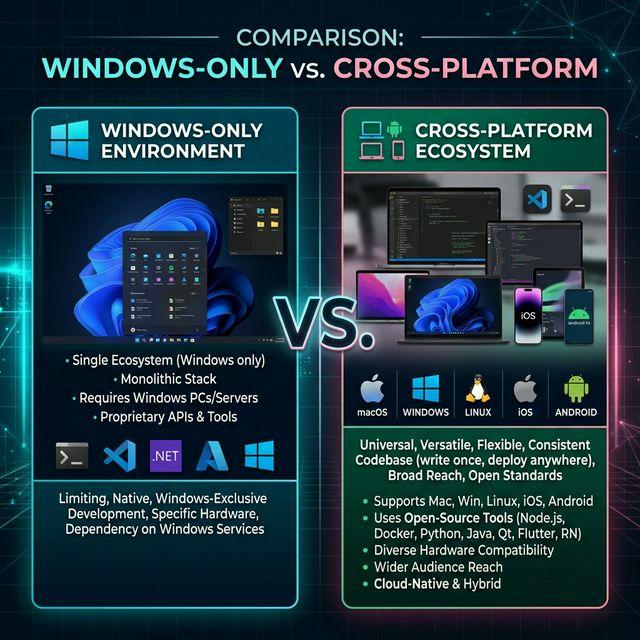
Spacedesk and BetterCast are both free second monitor apps, but that's where the similarities end. Spacedesk is Windows-only on the host side and has been around for years. BetterCast is cross-platform and open source. If you're trying to decide between them — or wondering whether there's a Spacedesk equivalent for Mac or Linux — this comparison will help.
Platform Support
This is the biggest difference between the two apps and likely the deciding factor for most users.
Spacedesk:
- Host (sender): Windows only
- Client (receiver): Windows, iOS, Android, HTML5 browser
- No macOS host, no Linux host
BetterCast:
- Host (sender): macOS, Windows, Linux
- Client (receiver): iOS, Android
- Full cross-platform support
If you use a Mac or Linux machine as your primary computer, Spacedesk is not an option — it simply doesn't support non-Windows hosts. BetterCast is the only free app that covers macOS, Windows, and Linux as host machines.
Performance
Spacedesk uses a virtual display driver on Windows and streams frames over your local network. Performance is decent for productivity tasks but not remarkable:
- Latency: ~30–60ms depending on network conditions
- Frame rate: Up to 60 FPS, but often drops under load
- Resolution: Supports up to 4K, but higher resolutions increase latency
BetterCast uses peer-to-peer streaming with a fundamentally different architecture:
- Latency: very low via direct P2P connection
- Frame rate: Consistent 60 FPS at 4K
- Resolution: Up to 4K/Retina
In real-world use, BetterCast feels noticeably more responsive. Mouse movements on the second screen track smoothly, and there's no visible delay when scrolling or typing. Spacedesk is serviceable for static content like reference documents or chat windows, but the latency becomes apparent during fast interactions.
Privacy and Data
Spacedesk:
- No account required
- Works over your local network
- Closed source — you can't inspect what data it handles
- Commercial use requires a paid license, which involves registration
BetterCast:
- No account required
- Works over your local network with P2P connections
- No data leaves your network — ever
- Fully open source under GPL 3.0 — you can audit every line of code
- No licensing system, no registration for any use case
Both apps are better than subscription-based alternatives on privacy, but BetterCast's open-source nature gives it a clear edge for users who care about transparency.
Setup Experience
Spacedesk setup:
- Download and install the Spacedesk display driver on your Windows PC (requires admin privileges)
- Install the Spacedesk client app on your tablet or phone
- Connect both to the same network
- Open the client — it auto-discovers the host
- Tap to connect
BetterCast setup:
- Download BetterCast on your computer — 3MB, no driver installation needed
- Install BetterCast on your tablet or phone
- Connect both to the same network
- Launch on both devices — auto-discovery, instant connection
Both apps have straightforward setup processes. The key difference is that Spacedesk requires a display driver installation on Windows (which needs admin rights and a reboot in some cases), while BetterCast installs as a lightweight application without driver modifications.
Feature Comparison
| Feature | Spacedesk | BetterCast |
|---|---|---|
| Price | Free (personal) | Free (all use) |
| macOS Host | No | Yes |
| Windows Host | Yes | Yes |
| Linux Host | No | Yes |
| iOS Client | Yes | Yes |
| Android Client | Yes | Yes |
| Browser Client | Yes (HTML5) | No |
| Latency | ~30–60ms | Very low (direct P2P) |
| Max Resolution | 4K | 4K/Retina |
| Frame Rate | Up to 60 FPS | 60 FPS |
| Install Size | ~20MB | 3MB |
| Account Required | No | No |
| Open Source | No | Yes (GPL 3.0) |
| Commercial Use | Paid license | Free |
| Multi-Display | Up to 3 | 1 |
When to Use Spacedesk
Spacedesk is the right choice if:
- Your host is Windows and will always be Windows — Spacedesk is well-optimized for Windows
- You need a browser-based client — Spacedesk's HTML5 viewer lets any device with a browser become a second screen without installing an app
- You need multiple simultaneous displays — Spacedesk supports up to 3 client devices at once
- You're already using it and it works — If Spacedesk is meeting your needs, there's no urgent reason to switch (unless you also use a Mac or Linux)
When to Use BetterCast
BetterCast is the right choice if:
- You use a Mac or Linux machine — Spacedesk doesn't support these at all. BetterCast is the only free option that does
- You need the lowest possible latency — a direct P2P connection avoids the extra hops that add lag, which matters for interactive tasks
- You value privacy and open source — BetterCast's GPL 3.0 codebase is fully auditable
- You work across multiple platforms — One app that works on macOS, Windows, and Linux is simpler than juggling platform-specific tools
- You use it commercially — BetterCast is free for all use cases; Spacedesk requires a license for commercial use
- You want a lightweight install — 3MB vs ~20MB, and no display driver required
Verdict
Both Spacedesk and BetterCast are genuinely good free apps — either is a massive improvement over paying $4–6/month for Duet Display. But they serve different audiences.
Spacedesk is a solid, proven choice for Windows-only users who want a free second display app and don't need cross-platform support. Its browser-based client and multi-display support are nice extras.
BetterCast is the better choice for everyone else — Mac users, Linux users, cross-platform users, privacy-conscious users, and anyone who wants the lowest latency and smallest install size. It's the more capable app overall, and it's free for every use case without restrictions.
If you're searching for "Spacedesk for Mac" or "Spacedesk for Linux," the answer is BetterCast. It's the cross-platform equivalent that Spacedesk isn't.
Ready to try BetterCast?
Free, open-source, and works on every platform. Turn any device into a second monitor in under a minute.