
Duet Display vs BetterCast: Which Second Monitor App Fits?
Compare BetterCast and Duet Display for local second-screen use, platform support and cost, with clear beta limitations and links to official information.
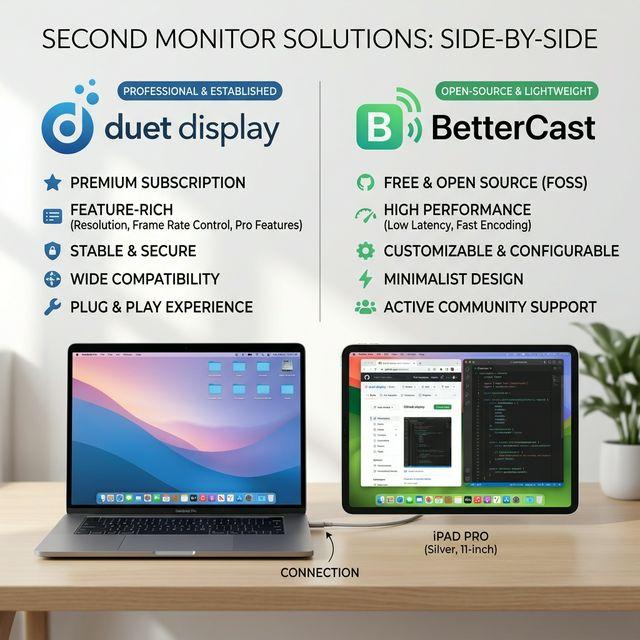
BetterCast is a free, open-source alternative to Duet Display for turning a compatible device into a local second monitor. Duet offers paid products that also cover remote desktop and drawing workflows. Choose based on the features and devices you actually need, rather than assuming either app replaces every feature of the other.
The practical differences
| Capability | BetterCast | Duet Display |
|---|---|---|
| Mac sender | Yes | Yes |
| Windows sender | Beta | Yes |
| iPhone, iPad and Android receivers | Yes | Yes |
| Mac and Windows receivers | Yes | Yes |
| Linux receiver | Beta | Not listed on its homepage |
| Cost | Free; optional donations | Paid offerings; check current plans |
| Source code | GPLv3 on GitHub | Proprietary product |
When BetterCast makes sense
Try BetterCast if you want local extra workspace without an account or subscription. Its official receivers include Linux and Android as well as Apple and Windows devices. Mac is the more mature sender; Windows sending is beta and needs its virtual display driver. Linux cannot currently send a desktop with BetterCast.
When to look closely at Duet
Duet markets remote desktop and drawing features in addition to second displays. If those are essential to your workflow, check its current plans and compatibility before switching. This comparison does not claim BetterCast has feature parity with all Duet products. Pricing and included features can change, so we do not present an unverified monthly price as current.
Is BetterCast faster or more reliable?
We have not conducted a controlled comparative benchmark. Performance depends on your device pair, connection, resolution and workload. A claimed maximum frame rate does not measure end-to-end latency or establish that one app is faster.
How to try BetterCast before switching
- Keep your existing setup available while testing.
- Install BetterCast on the sender and the appropriate receiver on your extra device.
- Test the connection, text readability and input in your normal work apps.
- Check beta limitations and any drawing or remote-access requirements before changing a paid plan.
Start with the MacBook setup guide or download BetterCast.
Sources and disclosure
This comparison is written by BetterCast, not an independent review. It was checked on September 7, 2026 against the BetterCast documentation and Duet's official product site. Consult Duet's current plans for prices and included features.
Ready to try BetterCast?
Free, open-source, and works on every platform. Turn any device into a second monitor in under a minute.