
Best Apple Sidecar Alternatives for Windows, Linux & Older Macs (2026)
Looking for an Apple Sidecar alternative? Here are the best options for Windows, Linux, older Macs, and Android tablets — including free and open-source picks.
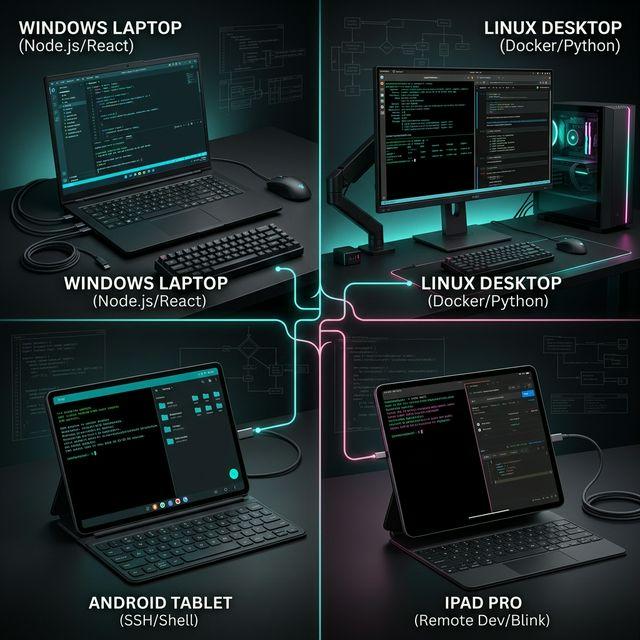
Apple Sidecar is a fantastic feature — it lets you use your iPad as a second monitor for your Mac with zero setup, native Apple Pencil support, and low latency. But Sidecar has strict limitations that lock out a huge number of users.
If you can't use Sidecar, this guide covers the best alternatives that fill the gap — whether you're on Windows, Linux, an older Mac, or want to use an Android tablet instead of an iPad.
Why You Might Need a Sidecar Alternative
Sidecar is limited in several important ways:
- Windows users — Sidecar doesn't exist on Windows at all
- Linux users — No Sidecar support whatsoever
- Older Macs — Sidecar requires a 2016 MacBook Pro or later, 2018 MacBook Air or later, or 2016 iMac or later. If your Mac is older, Sidecar won't work
- Android tablet owners — Sidecar only works with iPads. If you own a Samsung Galaxy Tab or other Android tablet, you're out of luck
- Cross-platform needs — If you switch between Mac and Windows, Sidecar only covers half your workflow
- Multiple client devices — Sidecar only supports one iPad at a time
If any of these apply to you, here are the best alternatives.
Alternative 1: BetterCast (Free) — Best Overall Sidecar Alternative
BetterCast is the closest thing to Sidecar that works everywhere. It's free, open source, and covers every limitation Sidecar has.
What makes it the best alternative:
- Works on macOS, Windows, and Linux as the host machine
- Supports both iPad and Android tablets as clients
- Low-latency direct P2P streaming with 60 FPS at 4K — comparable to Sidecar's wireless performance
- No account needed, no internet required — just like Sidecar's simplicity
- P2P connection over your local network
- 3MB install size, open source under GPL 3.0
Setup:
- Download BetterCast on your computer (Mac, Windows, or Linux)
- Install BetterCast on your iPad or Android tablet
- Connect both devices to the same Wi-Fi network
- Launch on both devices — automatic discovery, instant connection
For Windows and Linux users, BetterCast is effectively "Sidecar for the rest of us." For older Mac users, it works regardless of your hardware year.
Alternative 2: Duet Display ($4–6/month) — Best for Apple Pencil
Duet Display is a paid cross-platform option built by former Apple engineers. Its strongest selling point over BetterCast is shipping Apple Pencil pressure sensitivity support.
Pros:
- Apple Pencil support with pressure sensitivity
- Works on Mac and Windows hosts
- USB and wireless connections
- Remote desktop access over the internet
Cons:
- $4–6/month subscription ($48–72/year)
- Account and internet required for license verification
- No Linux host support
- Users report wireless lag, especially after OS updates
- 50–100MB install size
Best for: Creative professionals who need Apple Pencil as a drawing tablet input for their PC.
Alternative 3: Luna Display ($120) — Best Hardware Approach
Luna Display uses a physical USB-C or Mini DisplayPort dongle plugged into your Mac to create a hardware-accelerated display connection to your iPad.
Pros:
- Excellent performance — 16ms latency, 5K at 60Hz
- One-time purchase, no subscription
- Rock-solid reliability with hardware acceleration
- Apple Pencil support
Cons:
- Mac-only as the host machine (a Windows version exists but is limited)
- Requires the physical dongle — easy to lose when traveling
- $120+ upfront cost
- iPad-only as client — no Android support
Best for: Users who want the absolute best Sidecar-like experience and are willing to pay a premium.
Alternative 4: Spacedesk (Free) — Best for Windows-Only Users
Spacedesk is a free option specifically for Windows users. It supports iPads, Android tablets, and even browser-based clients.
Pros:
- Free for personal and academic use
- Multiple simultaneous displays (up to 3)
- Browser-based client available
- KVM (keyboard/mouse sharing) functionality
Cons:
- Windows-only host — no macOS or Linux
- Commercial use requires a paid license
- Higher latency than native solutions
- No Mac support defeats the purpose for some Sidecar refugees
Best for: Windows users who want a free Sidecar-like feature with multi-display support.
Alternative 5: Deskreen (Free) — Best Browser-Based Option
Deskreen streams your desktop to any device with a web browser. No app installation needed on the client device.
Pros:
- Works with literally any device that has a browser
- Cross-platform host support (macOS, Windows, Linux)
- Open source, end-to-end encryption
- No app needed on the tablet
Cons:
- Requires a Virtual Display Adapter dongle for true extending (otherwise limited to mirroring)
- Higher latency due to WebRTC streaming
- No touch input on the extended display
- Less polished experience than native apps
Best for: Users who need maximum device compatibility and don't mind the extra latency.
Comparison Table
| Feature | Apple Sidecar | BetterCast | Duet Display | Luna Display | Spacedesk | Deskreen |
|---|---|---|---|---|---|---|
| Price | Free | Free | $4–6/mo | $120 | Free | Free |
| macOS Host | Yes | Yes | Yes | Yes | No | Yes |
| Windows Host | No | Yes | Yes | Limited | Yes | Yes |
| Linux Host | No | Yes | No | No | No | Yes |
| iPad Client | Yes | Yes | Yes | Yes | Yes | Browser |
| Android Client | No | Yes | Yes | No | Yes | Browser |
| Apple Pencil | Yes | Coming soon | Yes | Yes | No | No |
| Account Required | Apple ID | No | Yes | No | No | No |
| Latency | ~10ms | Very low (P2P) | 16–80ms | 16ms | 30–60ms | 50–100ms |
| Open Source | No | Yes | No | No | No | Yes |
Which Alternative Is Right for You?
Here's a quick decision guide:
- Windows user who wants a free Sidecar equivalent? → BetterCast
- Linux user? → BetterCast (it's the only full-featured free option with Linux support)
- Older Mac that doesn't support Sidecar? → BetterCast (no hardware requirements)
- Android tablet owner? → BetterCast or Spacedesk (Windows) or Duet Display (paid)
- Need Apple Pencil pressure sensitivity on Windows? → Duet Display
- Want the absolute best performance and don't mind paying? → Luna Display
- Need to share your screen to any browser? → Deskreen
For the majority of users locked out of Sidecar, BetterCast is the best starting point — it's free, works on every platform, and takes 60 seconds to set up.
Frequently Asked Questions
Can I use Sidecar on Windows?
No. Apple Sidecar is exclusive to macOS and only works with iPads. There is no way to use Sidecar on a Windows PC. The closest equivalent for Windows is BetterCast (free, supports iPad and Android) or Spacedesk (free, Windows-only host).
Does Sidecar work with Android tablets?
No. Sidecar only works with iPads. If you have an Android tablet, use BetterCast (free, all platforms), Spacedesk (free, Windows host only), or Duet Display (paid, Mac/Windows hosts).
What is the best free Sidecar alternative?
BetterCast is the best free Sidecar alternative for most users. It's open-source, works on macOS, Windows, and Linux, supports both iPad and Android clients, streams peer-to-peer at 60 FPS with low latency, and requires no account or internet connection. It's the only free app that covers all the platforms Sidecar doesn't.
Can I use Sidecar on an older Mac?
Only if your Mac is from 2016 or later (specific models vary). If your Mac is older, Sidecar is not available. BetterCast works on older Macs without hardware restrictions, making it the best alternative for users with pre-2016 Apple hardware.
Ready to try BetterCast?
Free, open-source, and works on every platform. Turn any device into a second monitor in under a minute.