
How to Use an iPad or iPhone as a Second Monitor
Four ways to turn an iPad or iPhone into a second display for a Mac or PC: Sidecar, BetterCast, OpenDisplay and Duet. Requirements, setup steps and how to choose.
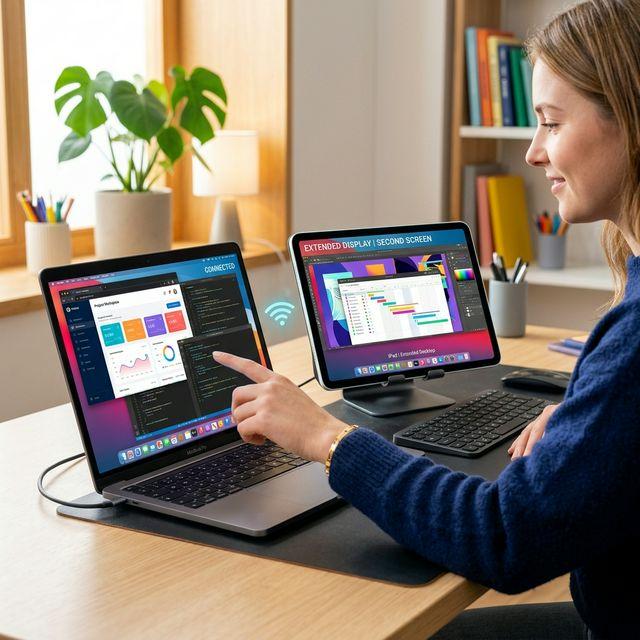
An iPad has a better panel than most budget portable monitors, and it is already paid for. There are four realistic ways to use one, or an iPhone, as a second display. Which applies depends on what your main computer is.
Which method applies to you
| Your setup | Use |
|---|---|
| Mac + iPad, same Apple Account, supported models | Sidecar, built in |
| Mac + iPad or iPhone, any Apple Account | BetterCast or OpenDisplay |
| Mac on macOS 13, or an iPad on iOS 15 | BetterCast |
| Windows PC + iPad or iPhone | BetterCast (beta) or Duet |
| You want Apple Pencil drawing-tablet features | Duet, paid |
Method 1: Sidecar, if it fits
Sidecar is already on your Mac. Open System Settings, then Displays, and pick the iPad from the "+" or the AirPlay menu.
It is the easiest option and costs nothing, but the requirements are narrow: iPad only, no iPhone, both devices on the same Apple Account, and only on models Apple supports. If any of those fail, Sidecar simply will not offer the device.
Method 2: BetterCast
Free and open source, no account, and it works with both iPad and iPhone regardless of which Apple Account they use.
- Install BetterCast on the Mac. Windows senders can use the beta installer, which includes the virtual display driver.
- Install the BetterCast receiver from the App Store on the iPad or iPhone.
- Open both. Allow local-network access when prompted, and on the Mac allow Screen Recording so it can capture the display. Accessibility permission enables touch input back to the computer.
- Pick the device in BetterCast and connect. Supported Apple devices can connect peer-to-peer without a router; you can also connect over USB.
- In System Settings, then Displays, arrange the new display and set it to Extend rather than Mirror.
Requirements are macOS 13 or newer on the Mac and iOS 15 or newer on the iPad or iPhone, which is a useful margin if your hardware is a few years old.
Method 3: OpenDisplay
Another free, open-source, Apple-focused option, with a documented wired setup for iPhone and iPad. It needs macOS 14 on the sender and iOS or iPadOS 16 on the receiver, so it rules out slightly older hardware than BetterCast does. See the full comparison.
Method 4: Duet Display, if you need the extra features
Duet is a subscription, from $4/month billed annually. For a plain second screen the free options cover the same ground. Where Duet earns its price is graphics-tablet use with Apple Pencil, remote desktop and device mirroring. See the Duet comparison.
Can I use an old iPad?
Often, yes, and this is where the free apps differ most. Sidecar is limited to models Apple supports. OpenDisplay's official app needs iPadOS 16. BetterCast's receiver runs from iOS 15. An iPad that stopped receiving updates at iPadOS 15 can still work as a second screen with BetterCast.
Why is my iPad not showing up?
Keep the receiver app open on the iPad. Check that both devices are on the same network and that local-network permission was granted. Guest and public Wi-Fi often isolate devices from each other even when the network name matches. On the Mac, confirm Screen Recording permission and restart the app after changing it, since a black screen is almost always that. A VPN or firewall can also block discovery; allow the app rather than turning the firewall off.
Sources and review
This is a BetterCast product guide, not an independent review. Requirements were checked on September 7, 2026 against the BetterCast README and releases, BetterCast's own build settings, and the official sites for Sidecar, OpenDisplay and Duet. Requirements and pricing change; confirm current details before buying anything.
Ready to try BetterCast?
Free, open-source, and works on every platform. Turn any device into a second monitor in under a minute.