
Duet Display Review 2026: iPad as Second Display — Is It Still Worth It?
An honest, in-depth review of Duet Display for using your iPad as a second display in 2026. We cover pricing, performance, lag, setup, and how it compares to free alternatives like BetterCast and Apple Sidecar.
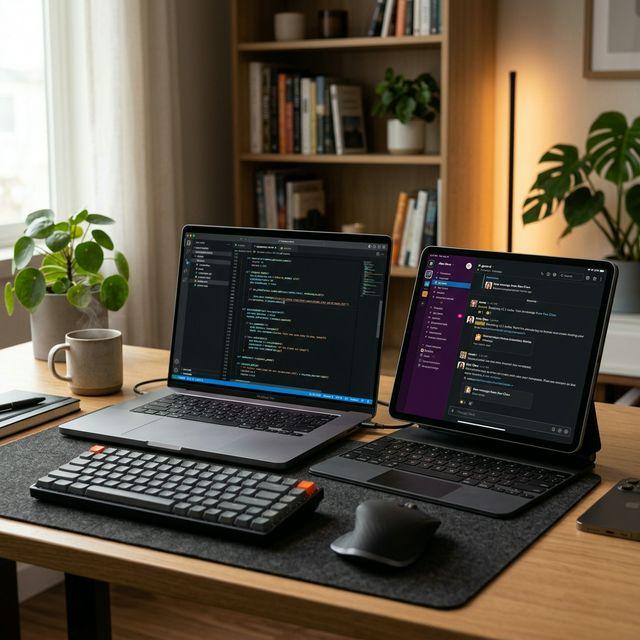
Duet Display has been one of the most well-known apps for turning an iPad into a second display since it launched in 2014. Built by former Apple engineers, it promised desktop-class performance through a simple app. But a lot has changed since then — Duet moved to subscription pricing, Apple launched its own free alternative (Sidecar), and new open-source competitors like BetterCast have entered the space.
So in 2026, is Duet Display still worth paying for? We tested it extensively and compared it against every major alternative. Here's our honest review.
What Is Duet Display?
Duet Display is a software application that turns your iPad, Android tablet, or even another Mac or PC into a second display for your main computer. It supports both wired (USB) and wireless connections, and works across macOS, Windows, iOS, and Android.
The app was created by a team of former Apple engineers and was one of the first to solve the "iPad as second monitor" problem before Apple built Sidecar into macOS.
Key features Duet Display advertises:
- iPad as a second monitor (wired or wireless)
- Remote desktop access with zero lag claims
- Apple Pencil support for drawing and annotation
- Keyboard and mouse sharing across devices
- iOS casting/mirroring to Mac or PC
- Android device support
Duet Display Pricing in 2026
This is where Duet Display gets controversial. The app originally launched as a one-time $9.99 purchase, but has since transitioned to a subscription model:
- Duet Air: ~$4/month (wireless display, basic features)
- Duet Pro: ~$6/month (Apple Pencil, remote desktop, drawing tablet features)
- Annual billing: Available at a discount (~20% off)
- Lifetime plans: Occasionally offered at $80–120+
For a simple "use my iPad as a second screen" feature, $48–72 per year is a tough sell — especially when free alternatives exist. Many long-time users who paid once for Duet before the subscription switch have expressed frustration in App Store reviews and Reddit threads.
Setting Up Duet Display: What to Expect
Here's what the setup process looks like:
- Download the Duet Display app on your computer (Mac or Windows)
- Download the companion app on your iPad or Android device
- Create a Duet Display account (required)
- Subscribe to a plan (required for wireless features)
- Connect via USB cable or Wi-Fi
- Arrange displays in your system settings
The setup is straightforward, but the account creation and subscription steps add friction. If Duet's licensing servers are down — which has happened — the app won't activate, even if you're on the same local network as your iPad.
Performance: Does Duet Display Lag?
Performance is where Duet Display has a mixed reputation. Here's what we found:
USB Connection: Duet Display performs well over a direct USB cable. Latency is low (roughly 16–30ms in our testing), and the display feels responsive enough for general productivity work — browsing, email, Slack, reference documents.
Wireless Connection: This is where issues appear. Over Wi-Fi, we experienced noticeable input lag, occasional frame drops, and inconsistent quality depending on network conditions. After macOS updates, several users (including us) have encountered bugs where the wireless connection becomes unreliable or disconnects frequently.
Resolution and Frame Rate: Duet supports up to 4K resolution at 60 FPS on paper, but in practice, the wireless experience often drops to lower frame rates to maintain stability. USB performance is more consistent.
The "Zero Lag" Claim: Duet Display markets itself as having "zero lag." In our real-world testing, this wasn't accurate — especially over wireless. The USB experience is good, but calling it zero lag is a stretch. Expect 16–30ms over USB and 30–80ms+ over Wi-Fi depending on your setup.
Duet Display Pros
- Cross-platform: Works across macOS, Windows, iOS, and Android — one of the few apps that covers all four
- Apple Pencil support: Genuine pressure-sensitive drawing tablet functionality when paired with apps like Procreate (via iPad)
- Remote desktop: Can access your Mac or PC remotely over the internet, not just local network
- Mature product: Over 10 years of development means broad hardware compatibility
- Keyboard and mouse sharing: Use one set of peripherals across multiple devices
- Trusted by enterprises: Used by companies like Google, Tesla, and Amazon
Duet Display Cons
- Subscription pricing: $4–6/month for what used to be a one-time purchase
- Account required: Must create an account and stay logged in
- Server dependency: License verification requires internet — app can fail if Duet's servers are down
- Wireless lag: Noticeable latency on Wi-Fi, especially after OS updates
- Large install size: 50–100MB+ compared to lighter alternatives
- Privacy concerns: Cloud-based licensing means Duet knows when and how you use the app
- No Linux support: Completely excludes Linux users as host machines
- Subscription creep: Features that were once included (like wireless) now require higher-tier plans
Duet Display vs Apple Sidecar
If you own a Mac and an iPad, Apple Sidecar is the elephant in the room. It's built directly into macOS and iPadOS — no extra software, no account, no subscription.
| Feature | Duet Display | Apple Sidecar |
|---|---|---|
| Price | $4–6/month | Free |
| Setup | Account + subscription | Built-in, instant |
| Wireless | Yes (with lag) | Yes (low lag) |
| USB | Yes | Yes |
| Apple Pencil | Yes | Yes |
| Windows Host | Yes | No |
| Linux Host | No | No |
| Android Client | Yes | No |
| Account Needed | Yes | No (Apple ID only) |
Verdict: If you're Mac + iPad only, Sidecar is better in almost every way. Duet's advantage is Windows support and remote desktop — if you don't need those, there's little reason to pay for Duet when Sidecar is free and built-in.
Duet Display vs BetterCast
BetterCast is a free, open-source alternative that has gained traction as a Duet Display replacement. Here's how they compare:
| Feature | Duet Display | BetterCast |
|---|---|---|
| Price | $4–6/month | Free |
| macOS Host | Yes | Yes |
| Windows Host | Yes | Yes |
| Linux Host | No | Yes |
| iPad Client | Yes | Yes |
| Android Client | Yes | Yes |
| Account Required | Yes | No |
| Internet Required | For licensing | No |
| Latency | 16–30ms (USB) | Very low (direct P2P) |
| Install Size | 50–100MB | 3MB |
| Open Source | No | Yes (GPL 3.0) |
| Apple Pencil | Yes | Coming soon |
| Remote Desktop | Yes (internet) | Local network |
Where BetterCast wins: Price (free), privacy (no account, no cloud), performance (direct P2P streaming), platform support (Linux), and install size (3MB vs 50–100MB).
Where Duet Display wins: Apple Pencil support (shipping now), remote desktop over the internet (not just local network), and enterprise features.
For most people who just want to use their iPad as a second monitor, BetterCast is the better value — it costs nothing, requires no account, and delivers lower latency over your local network.
Common Duet Display Issues in 2026
Based on our testing and user reports, here are the most frequently reported problems:
Duet Display Not Connecting
The most common issue. Fixes include: updating both apps to the latest version, restarting both devices, checking that both are on the same Wi-Fi network (for wireless), trying a different USB cable (for wired), and reinstalling the app.
Duet Display Lag Over Wireless
Wireless lag is inherent to how Duet streams the display. To reduce it: use a 5GHz Wi-Fi network, reduce the resolution in Duet's settings, close bandwidth-heavy apps, and sit closer to your router. Or switch to USB for the most responsive experience.
Duet Display Not Working After macOS Update
This happens regularly. Duet needs to update their kernel extension or system extension after major macOS updates. Check for an app update or visit Duet's support page for a hotfix.
Duet Display License Not Activating
If you're getting license errors, it usually means Duet's licensing servers are having issues. Unlike local-only apps, Duet requires server communication to validate your subscription. Wait and retry, or contact their support.
Who Should Still Use Duet Display?
Duet Display makes sense in specific scenarios:
- You need Apple Pencil as a drawing tablet for your PC — Duet is one of the few apps that enables this
- You need remote desktop access over the internet — Duet's remote feature works beyond your local network
- Your company already pays for Duet licenses — If it's free to you, the app is solid
- You need keyboard and mouse sharing — Duet's KVM-like features are mature
Who Should Switch to a Free Alternative?
If any of these describe you, a free alternative is likely better:
- You just want a second monitor — BetterCast or Sidecar do this for free
- You're on Linux — Duet doesn't support Linux at all; BetterCast does
- You're tired of the subscription — $48–72/year adds up for a utility app
- You want privacy — BetterCast works entirely offline with no account
- Performance matters — BetterCast's direct P2P connection avoids the relay hops behind much of Duet's 16–80ms lag
- You want a lightweight install — BetterCast is 3MB; Duet is 50–100MB+
How to Switch from Duet Display to BetterCast
Switching takes about 60 seconds:
- Download BetterCast on your computer (macOS, Windows, or Linux) — it's just 3MB
- Install the BetterCast client on your iPad or Android tablet
- Make sure both devices are on the same Wi-Fi network
- Launch BetterCast on both devices — they discover each other automatically
- Your iPad is now a second monitor. No account, no subscription, no internet needed
You can cancel your Duet Display subscription through your App Store or Duet account settings.
Final Verdict: Is Duet Display Worth It in 2026?
Rating: 3 out of 5
Duet Display is a capable, mature product with a decade of development behind it. The Apple Pencil support and remote desktop features are genuine differentiators. But the subscription pricing, server dependency, wireless lag, and lack of Linux support hold it back — especially when free alternatives now match or exceed its core second-monitor functionality.
For most users who simply want to use an iPad as a second monitor, BetterCast is the better choice — it's free, open-source, faster over local networks, lighter weight, more private, and supports every major platform including Linux.
The bottom line: Duet Display pioneered this category, and it still has niche strengths. But the landscape has shifted. In 2026, paying $4–6/month for a second monitor app is hard to justify when BetterCast does the core job better — for free.
Frequently Asked Questions
Is Duet Display free?
No. Duet Display requires a subscription starting at $4/month for wireless display features. There is a limited free tier, but it doesn't include the wireless second-monitor feature that most people want. For a completely free alternative, try BetterCast or Apple Sidecar.
Does Duet Display work with Windows?
Yes. Duet Display supports Windows as a host machine, which is one of its advantages over Apple Sidecar. However, BetterCast also supports Windows — plus Linux — for free.
Can I use Duet Display without internet?
Partially. The USB display feature may work offline, but Duet requires internet to verify your subscription license. If their servers are down, the app may not activate. BetterCast works entirely offline since it has no licensing system.
Is Duet Display better than Sidecar?
For Mac + iPad users, Sidecar is generally better — it's free, built-in, and has lower latency. Duet Display's advantage is Windows/Android support and remote desktop features. If you only use Apple devices, Sidecar is the smarter choice.
Why is Duet Display so laggy?
Wireless lag in Duet Display is caused by its streaming protocol and network conditions. For less lag: use USB instead of wireless, connect to 5GHz Wi-Fi, lower the streaming resolution, or switch to a direct P2P alternative like BetterCast.
What is the best free alternative to Duet Display?
BetterCast is the best free Duet Display alternative for most users. It's open-source, supports macOS/Windows/Linux, requires no account, and streams peer-to-peer with low latency. Apple Sidecar is the best free option for Mac + iPad users specifically.
Ready to try BetterCast?
Free, open-source, and works on every platform. Turn any device into a second monitor in under a minute.